


The Integrator Family of Products AAATEX Shopping Cart Integrator© ( now sun-setted) replaced by the eIntegrator© for QuickBooks Desktop and Online Editions and POSeIntegrator© for QuickBooks Point of Sale
EXTREMELY FLEXIBILE so you can meet your business requirements
The Integrator brings in orders from your web store. It is a Windows Desktop program that usually runs on the same PC as your QuickBooks. It communicates to your web store by reading the database. This is done via ODBC/ADO (i.e. Remote MySQL for MySQL database). It can also do this via a small script on your server (although it is not recommended and ODBC is much more seamless).
It can download orders by order#, date ranges or whatever has not been imported already.
As orders are imported into QuickBooks, customers can be added dynamically (or 1 QuickBooks can be used for all orders from that store). Items can also be added dynamically if not already in QuickBooks. Sub-items are supported as well as options, attributes, etc.
Orders can be either Sales Receipts, Invoices, Sales Orders, Estimates or Payments, and now even Bills. They can also be dynamically picked based on status, etc.
The programs philosophy is to bring the orders into QuickBooks as close as possible to the way that they are in the store and do as much as possible WITHOUT human intervention or as little as you want!
Usually it is just click and go. Or you can set it to AUTOMATICALLY check for orders every nnn minutes. We call this Real Time Simulation via Polling.
It does limited two way at this time for certain carts. It is currently limited to updating quantity on hand. Uploading of quantity on hand can be done immediately after download/import cycle.
Other features include:
1. Replacement Lookup of store items, names, Ship Methods, etc. to the QuickBooks names via EXTERNAL tables that you can edit, etc. via Excel or Notepad
2. Matching of sub-items to the QuickBooks full item name. So if your cart has SKU ABC but in QuickBooks it is HATS:ABC we can find it.
3. Sales tax by state or zipcode where the program can lookup into the QuickBooks Sales Tax item and code from the state or zipcode. Nowadays some states require tax reporting by county.
4. Extensive options/attribute support. Options can be part of the item’s description, make into a new item (i.e. model-option) or a sub-item (model:option) or the option can be a separate QuickBooks item.
5. Purhcase Orders can be created from the imported orders in a variety of ways. The most popular is Drop Shipping where a Purchase Order is created for each vendor for each order.
6. Purchase files can be created from the imported orders to be used to send to vendors, etc.
7. It also can create Shipping files or interface with the AaaTeX Shipper program for UPS WorldShip, USPS via Dazzle or Stamps.com (FedEx and usps.com to be added shortly).
8. Extremely flexible with all the settings (about 100 screens in all) plus many files such as the SQL statement and mapping files are external files. If you have multiple stores they can be of the same or different carts. Even if the same the settings, SQL and mappings can be unique giving you maximum flexiblity.
We have refrained from putting all the screen images on the site (although we have about 10 commonly used screens) since they are mostly for setup and once the setup is done you don’t need them except to modify the settings.
Here are a few:
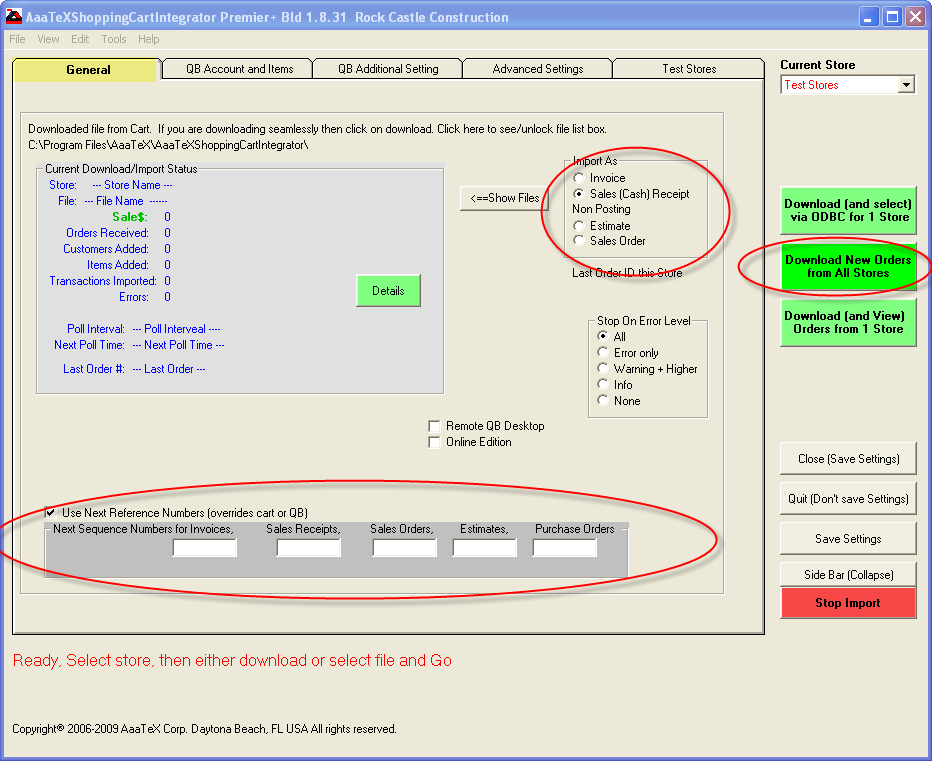

IntegratorMainQuickBooksAccounts.png

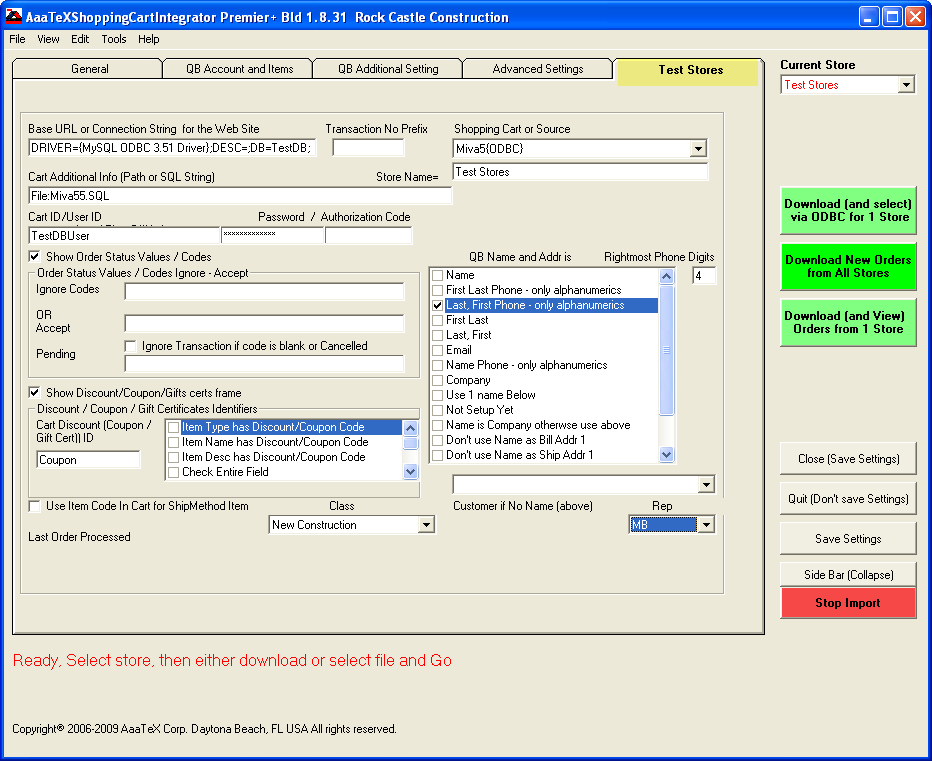

BUT ALL YOU NEED IS (ONCE SETUP).
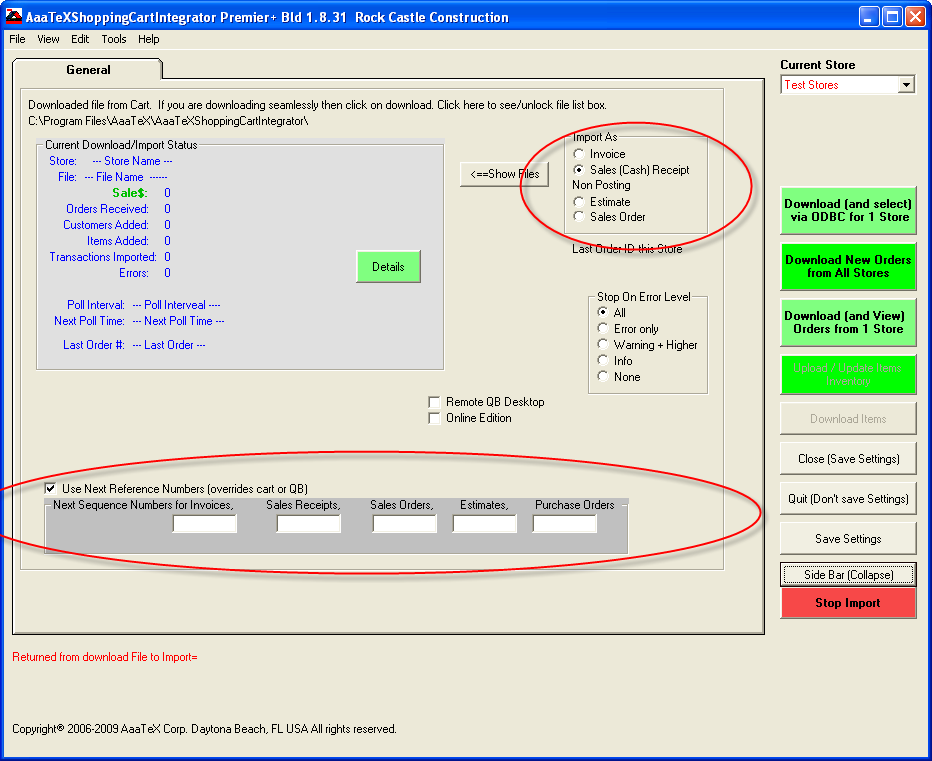
or even a side bar view

We do have a 10 day free trial version. A demo can setup here for you to see. Doing a demo or trial on your system can be done but requires doing the setup to map your store to your QuickBooks and we do not use your system.
Requirements:
- QuickBooks version 2003 Pro USA or 2008 Pro (CA, US, AU, NZ) better for the Shopping Cart Integrator or eIntegrator
- QuickBooks Point of Sale V7 or later for our POSeIntegrator
- Microsoft Windows XP, 2003, Vista, 7, 2008
- Same machine requirements as QuickBooks. 4G or more of RAM, Dual Processors of 2.5+recommended.
- Microsoft Excel 2003 or later (for optional Excel Functions)
- Supports hosted environments. Extra setup will probably be needed.
Download 
Download and Install Instructions
Please note that this demo is based on the QuickBooks Desktop Sample Company and our osCommerce cart. To use other configurations a setup would have to be performed i.e. QuickBooks Online Edition or a different cart.
Just $539 US for the Standard Edition or the eIntegrator for QuickBooks Desktop Version for $539 for the eIntegrator Standard Edition. The most popular is our Gold Edition for $659. No extra charge for setup.
For versions and prices of ‘The Integrator’ click here.
Major Credit cards and e-Checks via PayPal. We also accept M/C, Visa, and Discover directly. AmEx only via PayPal.


and $399 for QuickBooks Online Edition (Basic Edition).
To buy using other methods or if you have questions – click here
To View our return policies – Click here
Update Cart’s Quantity from QuickBooks:
- Integrator Premier Edition function
- Keep your online quantity on hand current and accurate from QuickBooks
- Includes Inventory and Assembly QuickBooks Items
- Can update every few minutes – you set the time
- Only applies to carts with support updating – does not include file import integrations.
Interface with your Shipping Program:
- Creates a file to be used with your Inteface program
- Can be a csv or tab delimited file
- Can get total weight from a custom field (Pro Edition or Better)
- Can get dimentions from a custom field (Pro Edition or Better)